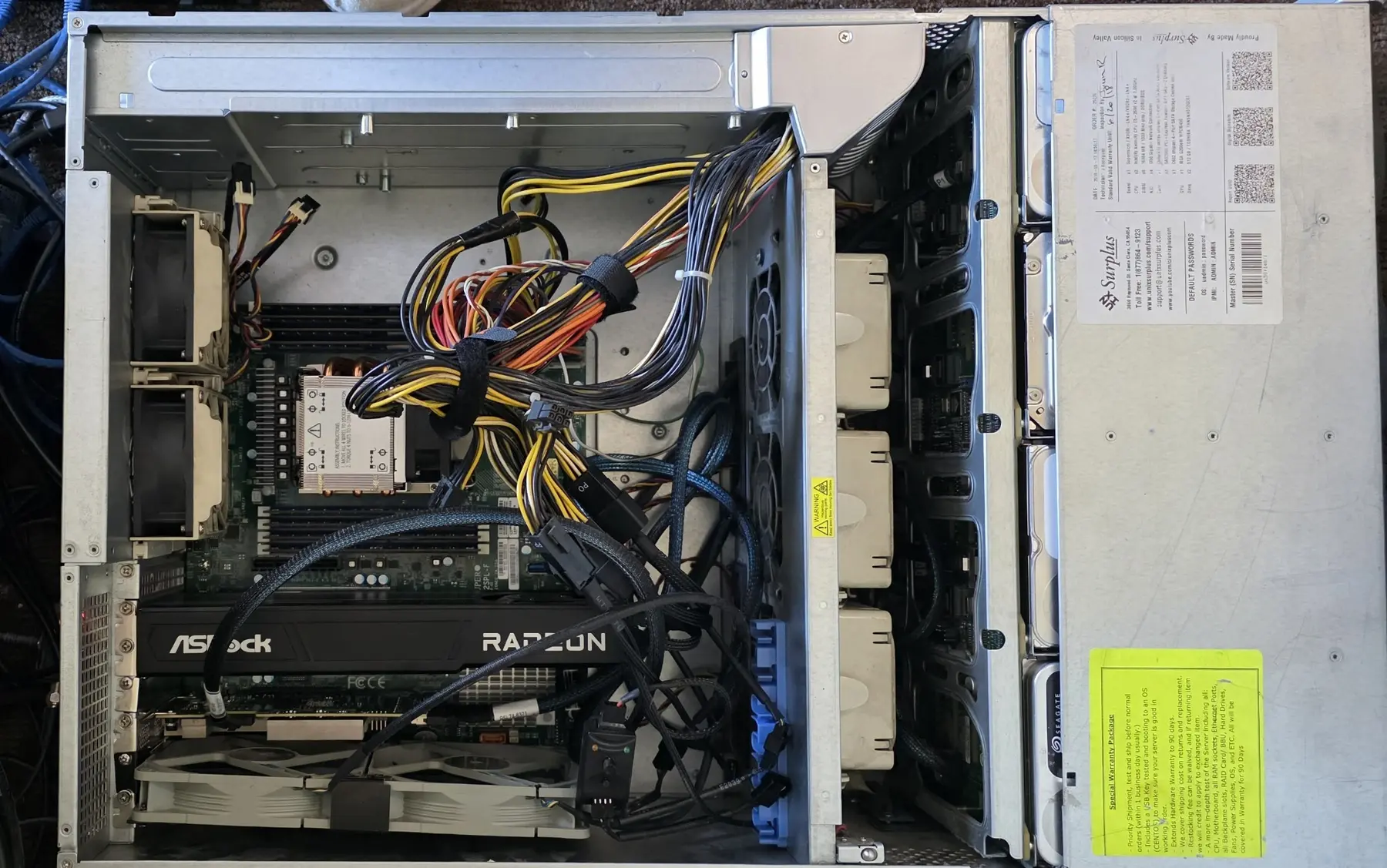
At some point during the fourth or fifth attempt to force an enormous dual-socket motherboard into a chassis that technically fit it, I realized the bottom of the server was covered in blood. So were my hands. The motherboard had sharp edges, the chassis had sharper ones, and I had apparently decided that the correct response to a computer fighting back was to keep reaching farther inside it.
This was not how the project started. The project started because I bought an insane GPU to eliminate hardware compromises.
My old server was already ridiculous
Before this local AI project began, I thought I had a relatively beefy home server. It had a Xeon Gold 6330N, 128 GB of RAM, and roughly 160 terabytes of storage spread across different media. It ran media, storage, containers, and everything else I threw at it without much drama. I thought it was the bee's knees.
Then I started running local AI models. As I described in a previous article, my first serious AI card was the AMD Radeon AI PRO R9700. It had 32 GB of VRAM, installed easily, worked with ROCm, worked even faster with Vulkan, and was an extremely sensible card for nearly everyone interested in local inference. Being me, it was not enough. I do this every time. I buy "good enough," realize a month later that I only want the best, and spend more than I actually would have if I had just gone to the top and been done.
Thirty-two gigabytes still meant choosing models that fit. It meant quantization decisions, context tradeoffs, and accepting that some interesting new model was going to sit just beyond the memory available to me. I did not want to make those compromises. More accurately, I wanted to put my head in the sand and throw money at the problem. I almost put an AI picture of me doing this here, but I have spared you all that lovely sight. On that note, generating excellent AI images is far easier than everything else. It is also one of the more socially dangerous applications, in my opinion, but that isn't for here.
The price was moving while I watched it
I had been looking at the NVIDIA RTX PRO 6000 Blackwell Workstation Edition for weeks because I wasn't sure I was all-in enough to spend that type of coin on something that might be a passing interest. I called reseller partners. I spoke with NVIDIA. After more than twenty years in the industry and involvement in over a billion dollars of technology sales, you might imagine I could acquire one through some professional channel without walking into a store and paying retail. Apparently not.
The RTX PRO has 96 GB of GDDR7 ECC memory and can consume up to 600 watts. In normal workstation terms, it is completely absurd. In local AI terms, 96 GB is Sofia Vergara at a pool party. NVIDIA's specifications It draws all the attention.
Prices were climbing. Other retailers had already moved toward $12,500 or $13,000, but Micro Center still showed one at $11,499. The store did not open until 10:00 a.m. I reserved the card before it opened, rode to the North Jersey location on my Can-Am Spyder, and paid $11,880.93 after tax. At 10:00 a.m., the listed price became $12,999. For once, my complete inability to wait had saved me money. It is currently over $15,000 everywhere and climbing.
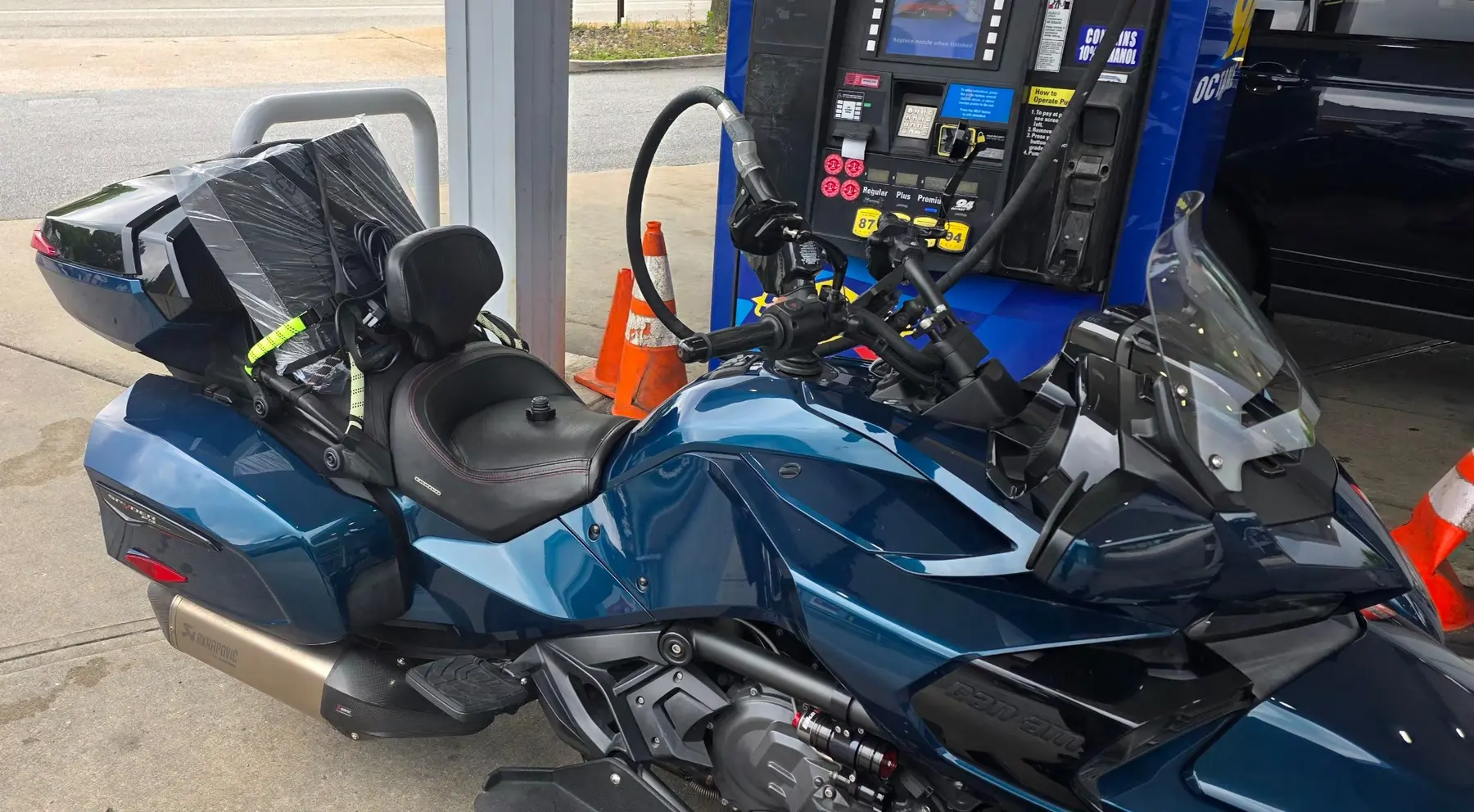
The next problem was transporting it. The box was gigantic. I placed it across the back seat of the Spyder, strapped it down, and began the ride back down I-95 with almost $12,000 in computer hardware sitting behind me. Every bump produced the same thought:
Is this the moment the box flies off and explodes across the highway?
As Deadpool says, I should have worn my brown pants. Thankfully, it survived.
A short time later, my friend Jason Brown pointed out that a computer with a 600-watt GPU probably deserved a proper pure sine wave UPS. My knee-jerk reaction is unpublishable, but you get my point. However, Jason is methodical and usually correct. He certainly was here. My cavalier style had it connected to an old UPS with a long-dead battery, so basically a fancy surge protector with an LCD screen. This was irritating because him being correct cost me another thousand dollars. That box also came home strapped to the back of the Spyder. Here is a picture of the UPS on my Spyder. I had to take it out of the box because that didn't fit, and I figured it was less delicate than an RTX PRO.
Two 1,000-watt power supplies were not enough
Before I could even explore what 96 GB of VRAM made possible, I had to make the server stay on. The chassis already had two 1,000-watt server power supplies. I did not think power was going to be the problem.
It was. When a real workload hit the RTX PRO, the card could move from relatively calm to a massive transient demand faster than the server's power system could react. The steady-state wattage was not the problem. The spike was. The entire server would simply reboot - no graceful shutdown, no useful error message, and no obvious indication that power was responsible.
It took us days to troubleshoot because a hard reboot under GPU load looks like almost everything except a power problem. We investigated the card, drivers, motherboard, CUDA, thermals, and the rest of the increasingly cursed stack before finally isolating the transient draw.
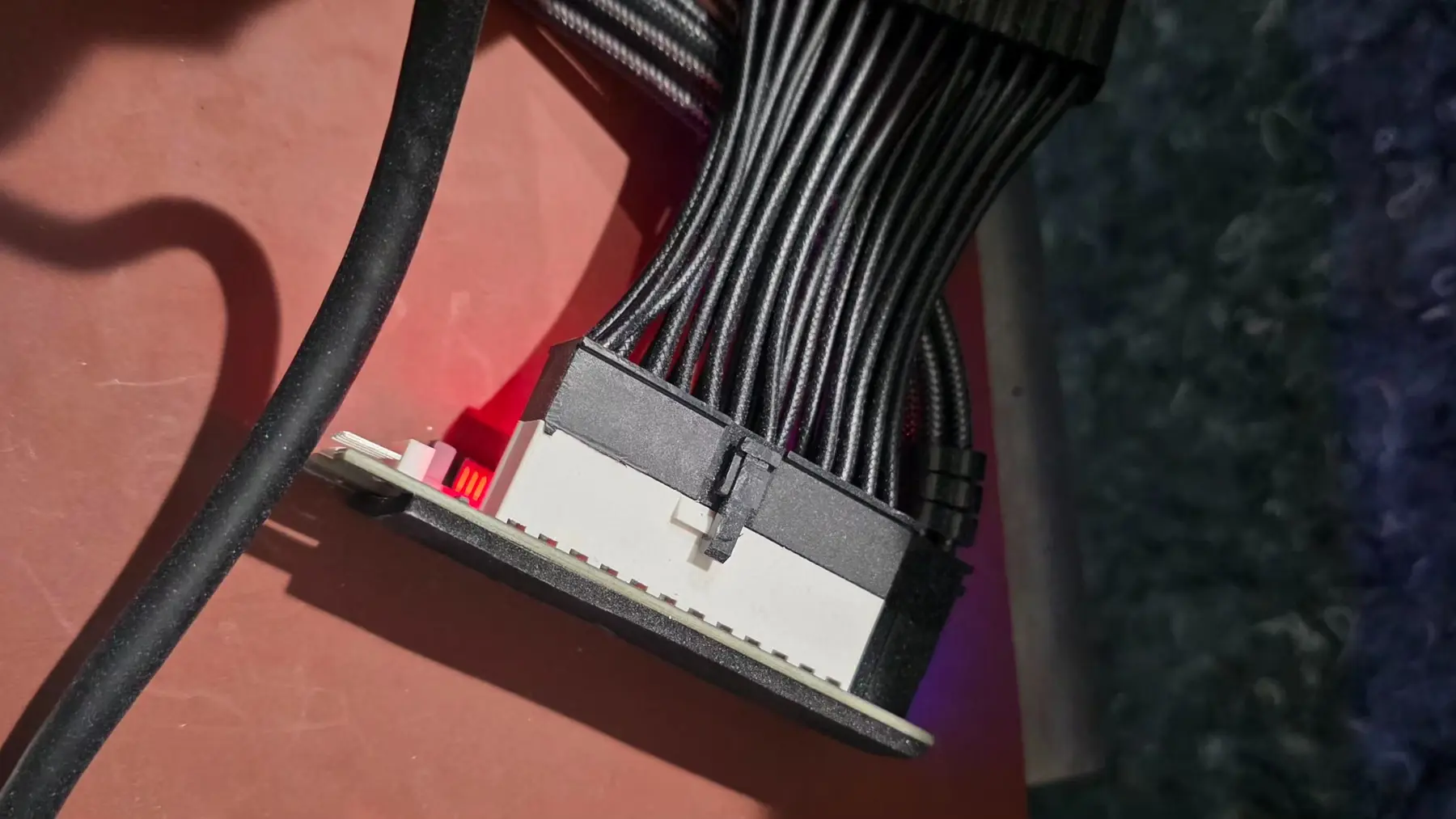
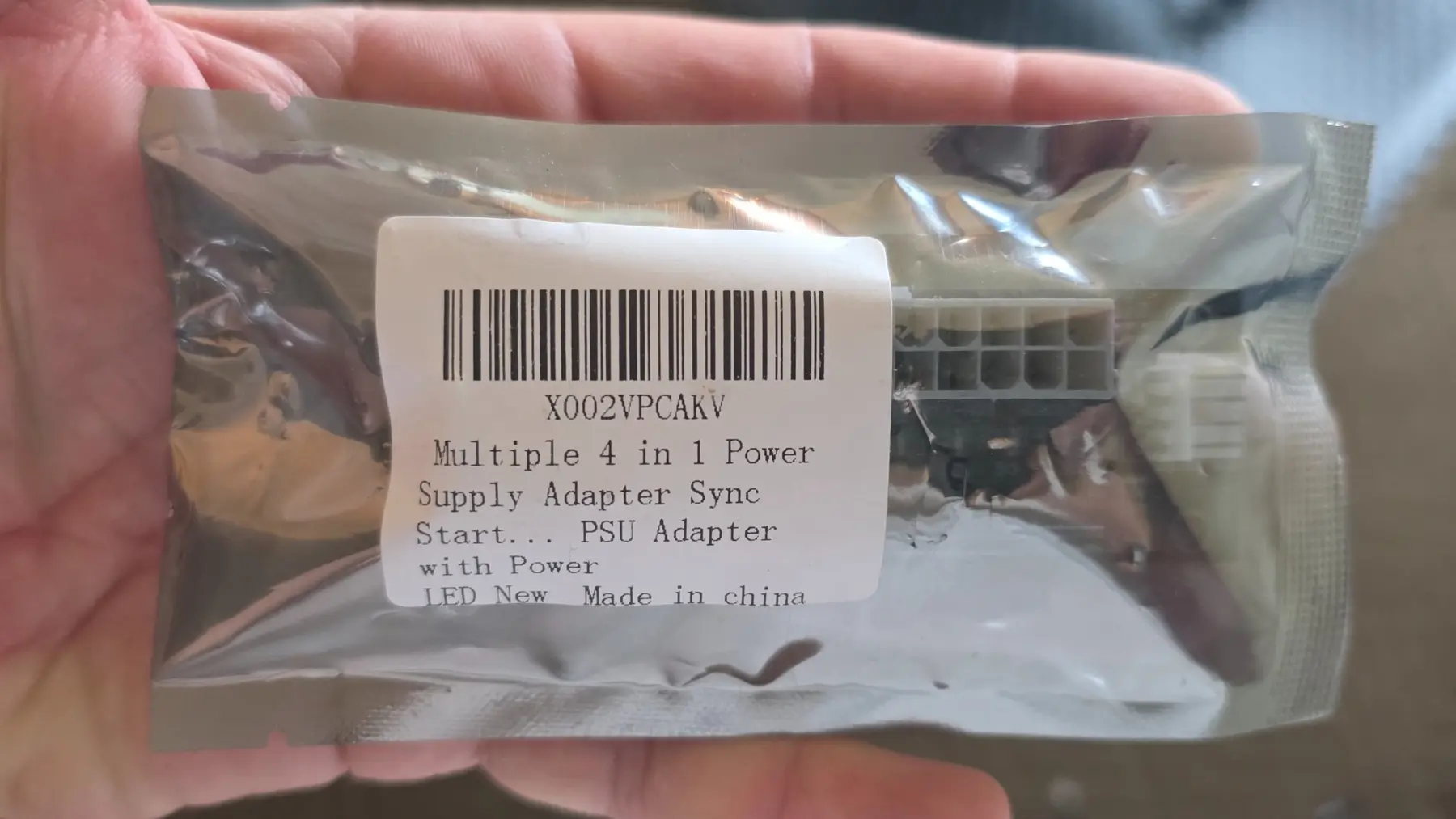
The solution was another power supply outside the chassis dedicated to the RTX PRO. I used an Add2PSU adapter so the server's primary power signal would switch on the external ATX supply at the same time. Once the GPU had its own power source, the random reboots stopped. I now had a server with two 1,000-watt power supplies and a third power supply sitting outside it because the first two could not survive a fraction-of-a-second demand from the Ferrari of GPUs. This should have been a warning.
Ninety-six gigabytes is an awkward amount of memory
The RTX PRO ran beautifully once I got the hang of vLLM. By "got the hang of it," I mean found 9,276,848,597 random settings, Python dependencies, CUDA mismatches, and so forth. Seriously, folks, run llama.cpp to get your feet wet and STAY there. It is simple, easy to work with, and probably what you should use for low concurrency. Once everything finally worked, the RTX PRO immediately curb-stomped the R9700. I assumed I could now run nearly any model that mattered. I am not an idiot (most of the time), so I was not going to run the models behind ChatGPT, Claude, or Gemini. Those require data centers, not a server in a Philadelphia apartment. But 96 GB seemed like enough to stop worrying about local model sizes. LOL...ha...ha... I think the laughing is PTSD.
The model market has developed an awkward gap. At one end are increasingly capable small models designed to run on consumer hardware. Many fit comfortably on a 24 GB RTX 3090 or a 32 GB R9700. That is excellent for adoption and probably where the most important local AI work is happening. It was also not what I had paid almost Vegas money to run. I don't want to run a model you can run on a 3090. I understand that at the other end are models that need two, three, or four RTX PROs, followed by enormous multi-node systems using B300-class hardware and power requirements that attract the attention of facilities management.
Ninety-six gigabytes gave me vastly more capability, but it did not place me at the top. It placed me in an odd middle. The smaller models left enormous amounts of the card unused. The larger models remained close enough to be tempting but far enough away to require me to sleep for only 24 minutes according to Fitbit while trying to get one working. That may be the most dangerous possible amount of VRAM. If a model is obviously impossible to run, I move on. If it misses by six gigabytes, I start taking the server apart.
Then I found DeepSeek-V4-Flash
It was too big - but sensibly too big. Hopefully you are here because you read my article on running DS4 Flash on one RTX PRO. I won't rehash that...but even with all that magic, it only almost fit.
The final runtime could fit, but preparing and loading the model needed more than the 128 GB of system RAM in my server. There were methods that could use NVMe during loading, but early reports involved spending hours rebuilding state every time the server started. I stop, start, rebuild, and break this system far too often for that to be acceptable. I needed more RAM.
Then a friend called. He has always given me old hardware because he knows that I put it to good use. He told me he had a box sitting in his house that he had intended to turn into a container system. It was supposedly a near match to a system we had sold to a customer a few years back, and it had remained boxed for over a year. His wife wanted him not to be a hoarder. Inside was a SERVER. It made mine look sad. He had never completed whatever plan he had for it and had adopted a reasonable rule: if he had not opened the box in a year, he was getting rid of it. Did I want it? Of course I wanted it.
I was in Houston at the time, but a few days later I went to collect the mystery server. Inside were two Intel Xeon Platinum 8358 processors and 256 GB of DDR4-3200 memory. Each 8358 is a 32-core, 64-thread Ice Lake server processor, giving me 64 physical cores and 128 threads across the pair. Intel's specifications It was exactly the kind of magical hardware phone call everyone wants to receive. It also began the blood phase of the project.
The server wanted a sacrifice
The server was beautiful, but it was a 2U with screamer fans. I was going to have to transplant usable hardware to my main 4U chassis. The processors and memory needed a new dual-socket motherboard for that to happen. If I had been willing to wait six months and plan this properly, the upgrade probably would have been straightforward. I wanted it running in two days.
I found a used Supermicro board from a reputable eBay seller. It included test results, looked clean, and arrived almost immediately. My chassis is enormous, but an EATX dual-socket board is enormous in a different direction. The SAS backplane cables are thick, stiff, and positioned precisely where the motherboard wants to go. I am also not a wiring guy. Today, I have discovered the wonders of packing tape and have most of the cables attached neatly to the chassis walls. At the time, the interior looked like a box of snakes fighting over a power supply.
I removed everything. I moved it. I tried to slide the motherboard underneath it. I pulled the motherboard back out. I rerouted cables. I put it back in. I removed it again. Large server processors are also unusually sensitive to socket contact and mounting pressure. The cooler needs to be tightened in sequence, gradually moving between corners. If the pressure or contact is wrong, entire memory channels can disappear. That will become important shortly.
During one of the motherboard attempts, my hands found every sharp surface on the underside of the motherboard. By the time I stopped, both hands were cut, the bottom of the case was covered in blood, and the motherboard had to come back out so I could clean it. I cook. I work with knives. I burn my hands often enough that minor injuries do not generally register. This server left scars.
Eventually, it booted. Then memory channel C1 failed to appear. Because of the board's memory topology, its paired G1 channel disappeared with it. I reseated processors. I adjusted mounting pressure. I moved DIMMs. I swapped processors. I repeated the entire process across most of a weekend. Eventually every channel appeared and I declared victory. The machine ran for approximately 45 minutes and hard-locked. After the reboot, the same two channels were gone again.
The machine physically contained 256 GB of RAM, but only 224 GB was usable - roughly 219 GiB as Linux reports it. This was still almost twice what I had before. I decided it was fine. Whenever I say something is "fine" during this project, it means I have chosen the problem that will come back to bite me in the rear end later.
Naturally, I got the Dremel
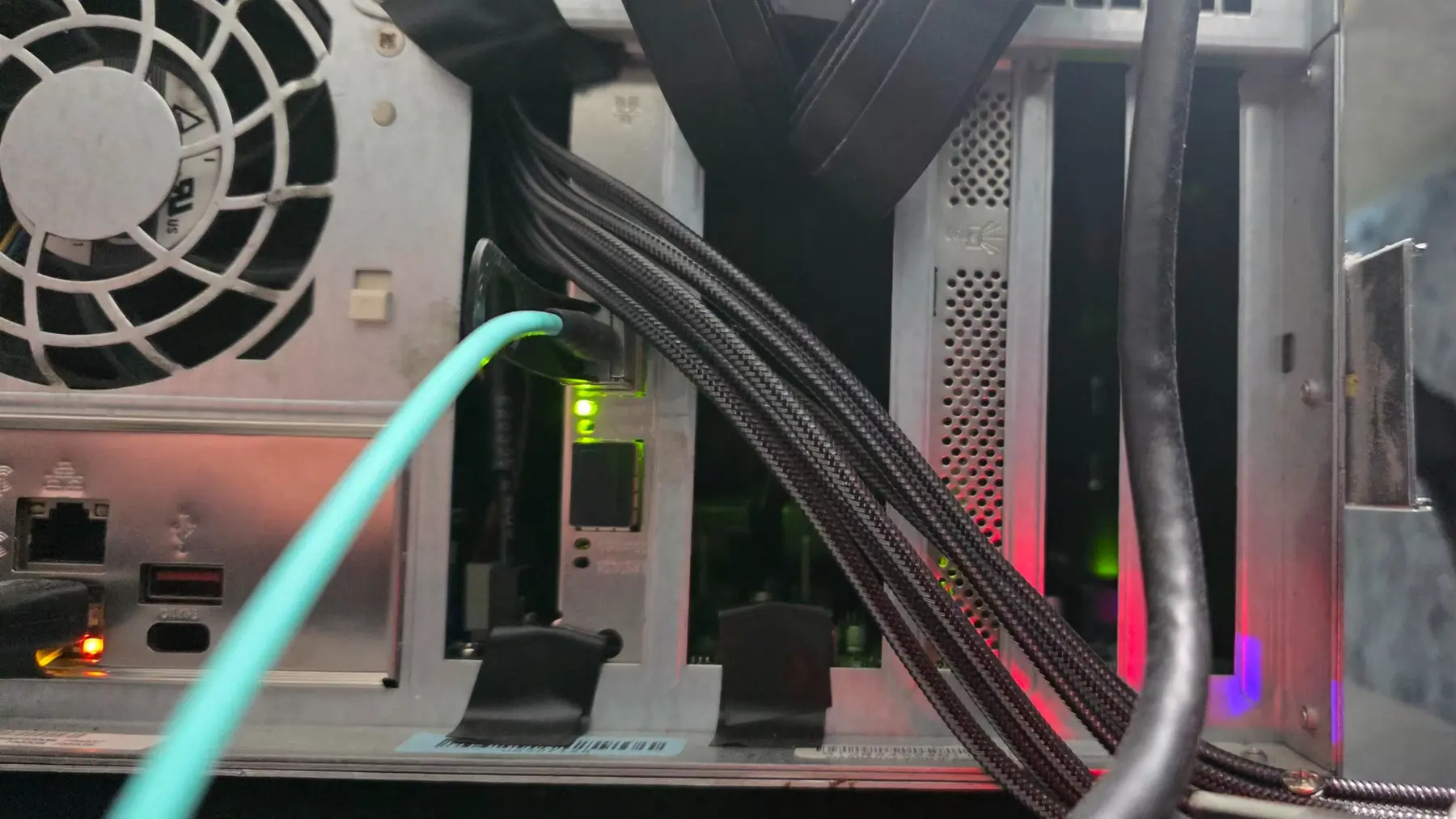
The new board and processors solved the system-memory problem, but the RTX PRO was not the only GPU that needed to remain connected. I also used an NVIDIA RTX A4000 for supporting workloads, and the combination no longer fit sensibly inside the chassis. External PCIe risers seemed like the answer. The GPUs could sit above the server, receive clean airflow, and stop fighting the motherboard, cables, and each other for physical space. I ordered the risers.
The PCIe connectors did not fit through the expansion slots at the back of the chassis. Of course they did not. Why would any plan work the first time?
Since I am a madman and sure...let's just casually take a Dremel to probably $50K worth of gear, I removed everything again, took a Dremel to the rear of the chassis, and enlarged the openings. Then I vacuumed every trace of metal out of the case twice - the first time wasn't enough - rebuilt the server, passed the riser cables through the newly created holes, and mounted the GPUs externally. It worked like a champ. It also looked cool. This is how bad decisions become permanent infrastructure.
Success was the real problem
The upgraded server loaded DeepSeek-V4-Flash. The two-bit expert base remained in the RTX PRO's VRAM, the extra system memory handled the preparation and offloaded layers, and the machine produced the high reasoning scores I had been chasing. The model ultimately developed a looping problem and lost its position as my daily model, but that came later. At this point, the hardware experiment had succeeded. That should have been the end of the article.
Instead, the success gave me more RAM, more CPU cores, and more confidence. Those are dangerous things to give someone who has not yet learned the intended lesson. I began looking at MiniMax M3.
MiniMax M3 is a 428-billion-parameter mixture-of-experts model with roughly 23 billion parameters active for each token. It supports up to a one-million-token context window and is aimed at coding, agents, multimodal work, and other tasks that place it much closer to frontier systems than the small models designed for consumer cards. MiniMax's model description There was no possibility of placing the complete model into 96 GB of VRAM. There was, however, LVLLM.
LVLLM is a NUMA-aware extension of vLLM designed for hybrid inference of large MoE models. It can place part of the model in GPU memory, distribute other portions across system RAM, and use the CPUs to compute the layers that do not live on the GPU. LVLLM project My dual Ice Lake processors support AVX-512, but they predate the AMX acceleration introduced with Sapphire Rapids. I have considered replacing the entire platform with newer processors and DDR5 memory. Then I looked at the price of 256 GB or more of DDR5 registered memory and temporarily recovered from the illness.
The hardware I already owned was theoretically enough to try MiniMax M3, so I tried it. Of course the first outputs were broken. The decode did not display correctly, and the runtime needed code changes before the model produced coherent output. After working through those problems, MiniMax M3 finally generated a proper response at 16K context. It ran at somewhere in the low twenties of tokens per second. That was not bad. It was also not free.
Both Xeon Platinum processors were working, the RTX PRO was allowed to pull its full 600 watts, and the complete system was consuming roughly 1,500 watts. I had built an inference appliance that doubled as an extremely effective space heater. Yes, I had MiniMax M3 running locally. Yes, it was legitimately impressive. Yes, my apartment was becoming warm. No, 16K was not the context window for which I had done all of this.
Six gigabytes
Sixteen thousand tokens was a successful smoke test. It proved the model, runtime, GPU, CPUs, memory topology, and my increasingly questionable external-GPU arrangement could work together. Then I tried to give it a useful context window.
The system needed roughly 230 GB of working RAM. I had 224.
The server physically contained 256 GB. The missing memory channels had removed 32 GB. I had spent most of a weekend reseating processors, rearranging DIMMs, adjusting cooler pressure, and bleeding into the chassis before deciding the lost channels did not matter. Now six gigabytes stood between me and the configuration I actually wanted.
After the RTX PRO, the new motherboard, dual Xeon Platinums, external risers, a Dremel, several new scars, and enough electricity to make my air conditioner nervous, the next model was being kept from me by six gigabytes of memory I already owned. That is local AI hardware in one sentence.
Hardware capability expands ambition
I began this phase because 32 GB of VRAM required compromises. I bought 96 GB to eliminate them. Before I could even reach the model limits, the GPU's transient power draw forced me to add a third, external power supply to a server that already had two. The RTX PRO did eliminate the original compromises. It also made an entirely different class of problem look possible.
Then 128 GB of system RAM became the limitation. A free server supplied 256 GB. Two failed memory channels reduced that to 224 GB. That was enough for DeepSeek-V4-Flash, which exposed MiniMax M3. MiniMax ran at 16K, which made a useful context window feel only six gigabytes away. Every hardware upgrade solved the problem it was purchased to solve. Every solution revealed a more expensive problem that had previously been irrelevant.
The obvious fix is another motherboard. Then perhaps more NVMe storage, because models of this size consume hundreds of gigabytes and two-terabyte drives are no longer cheap. After that, a second RTX PRO would let more of the model remain on GPUs and remove much of the CPU-offload compromise. But if two cards are useful, some models really want three. Three GPUs are awkward to divide work across, so the practical answer becomes four. That is how a $1,350 AMD card turns into a server with four five-figure NVIDIA GPUs if you leave me unsupervised long enough.
I have not purchased the replacement motherboard yet. "Yet" is doing an extraordinary amount of work in that sentence. Whatever hardware you have, it will never be enough if you are like me.